Port87 lets you organize your email any way you want, but this page has some best practices that will help you maintain a neatly organized account.
¶ Using Labels Effectively
You can use any label you want when you sign up somewhere or give someone your address, however, we've found it optimal to give every app, service, or business a unique label's address. So instead of yourname-shopping@port87.com, you might consider yourname-amazon@port87.com. This not only keeps your email organized per-sender, it also allows you to block a label if that service leaks your email address. You can also use multiple labels in an email address, like yourname-shopping-amazon@port87.com. With this, emails will be labeled with both the "shopping" and the "amazon" label. If any label on an incoming email is blocked, the message will be rejected, so you can still block the "amazon" label in case this address is leaked.
¶ Keeping Labels Organized
Labels are sorted alphabetically by name in the sidebar, and can be organized hierarchically. One useful strategy we recommend is creating parent labels just for organization to file your other labels underneath.
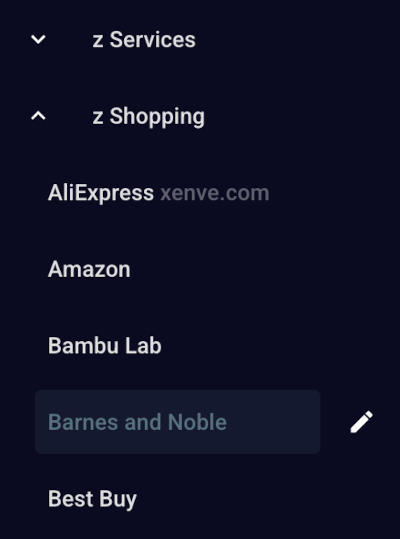
You can add "z" before the names of your parent labels to sort them at the end of all of your other labels.
Some useful categories you might want to add are:
z Businessz Finance & Governmentz Food & Drinksz Gamingz Mediaz Newslettersz Personalz Servicesz Shoppingz Socialz Travelz Utilities
¶ Reading Unread Email
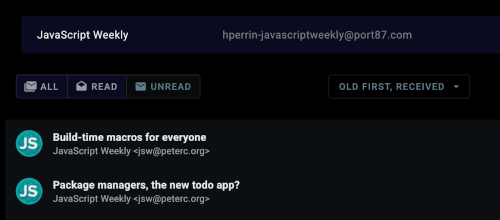
One effective strategy to read your unread email is to click a label with unread email, click the "UNREAD" button to only show unread email, then change the dropdown to show "OLD FIRST". Now you can simply click the top email, read it, then click the top email again, since the previous one is now read and not in the list anymore.